By Geethika Reddy ·
JEE Main 2027 Live Photo Mismatch: Camera, QR and Identity Checks
Check NTA’s live-photo instructions, the mobile QR option and your identity details before retrying a JEE Main 2027 photo capture.

If your JEE Main 2027 form reports a live-photo mismatch, first separate a camera problem from an identity-details problem. NTA requires a live photograph as well as a recent scanned passport-size photograph. Replacing one file is not automatically a fix for the other step, and the bulletin does not promise that a particular retry will clear a mismatch.
Set up the live capture as NTA describes
The 2027 information bulletin tells applicants to switch on the camera or connect a webcam to the device being used for the form. Use a white background, proper lighting and a view in which the face, including the ears, is clearly visible without a mask. NTA specifies 80% face visibility.
If the device does not support a webcam, the bulletin permits scanning the QR code with a mobile phone or tablet. Use the QR option presented by the official application process. It is a way to capture the required photograph on a suitable device, not permission to substitute a photograph of someone else.
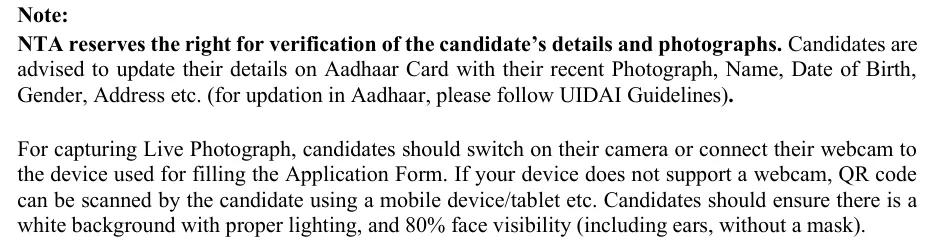
NTA, JEE Main 2027 information bulletin, printed page 9: identity and live-photograph instructions. Read the complete official bulletin.
Before retrying, check whether your browser has permission to use the camera and whether the preview actually shows your face. Keep the device steady and remove shadows that obscure facial features. These checks can help with capture quality; they do not establish why an identity comparison failed or guarantee acceptance.
Keep the scanned photograph separate
The scanned passport-size image has its own upload rules. NTA requires a recent colour photograph against a white background, with 80% face coverage including the ears and no mask. The file must be JPG or JPEG, clearly legible and between 10 kB and 200 kB.
Check the file you intend to upload, rather than a thumbnail saved in a messaging app. Repeated compression may leave the file within the size limit while making the face unclear. Do not alter facial features to try to defeat a mismatch check. Use your own image and follow the portal’s instructions.
Review identity details before another attempt
NTA’s 28 October registration advisory asks candidates to use their own DigiLocker, JanParichay or e-Pramaan credentials. It also advises DigiLocker Re-KYC before filling the form so that current details are fetched. The candidate’s name and date of birth must match the Class 10 certificate or marksheet.
The bulletin separately advises keeping Aadhaar details, including the photograph, up to date under UIDAI’s guidelines. Re-KYC and an Aadhaar update are different actions. The advisory does not say that Re-KYC changes an old Aadhaar photograph or guarantees that a live-photo mismatch will disappear.
If the same error remains
Record the exact message and the stage at which it appears. Contact the NTA helpdesk listed on the official JEE Main website; the registration advisory gives 011-40759000 and [email protected]. Describe the issue and provide the application reference if requested through the official channel. Do not share a password or OTP.
A successful camera preview is not the same as a completed application. Review the saved photograph and form, and retain the confirmation available after the required application steps. If you are considering starting again, read the fresh-application and correction guide before paying again; a new form should not be treated as a guaranteed photo-error workaround.