By Geethika Reddy ·
GATE 2027 Photo or Signature Defect: Check the File Before Re-uploading
Fix the image problem named in your GATE scrutiny email. Check JPEG size, dimensions, face visibility and signature rules before uploading the replacement.

A GATE 2027 photo or signature defect needs more than a smaller file. The replacement must meet IIT Madras’s image rules and fix the specific problem in your scrutiny email. Start with the original photograph or signature scan, check its clarity, and then crop or compress a copy for GOAPS.
The official GATE announcement gives 3 November 2026 as the scrutiny-defect rectification deadline. This applies to candidates asked to correct a defect; it does not reopen registration or announce the separate paid data-correction window. Our guide to the extended defect deadline explains who needs to act.
Check file size and dimensions together
IIT Madras’s photograph and signature instructions specify different limits for the two uploads. A file can fit the kilobyte limit while still having the wrong dimensions or an unreadable image.
Upload check | Photograph | Signature |
|---|---|---|
Format | JPEG/JPG | JPEG/JPG |
File size | 5-600 kB | 3-300 kB |
Minimum resolution | 200 × 260 pixels | 250 × 80 pixels |
Maximum resolution | 530 × 690 pixels | 580 × 180 pixels |
Shape and crop | Aspect ratio 0.66-0.89; face covers 60-70% | Height:width 1:R, with R between 2.75 and 3.75; signature covers 70-80% |
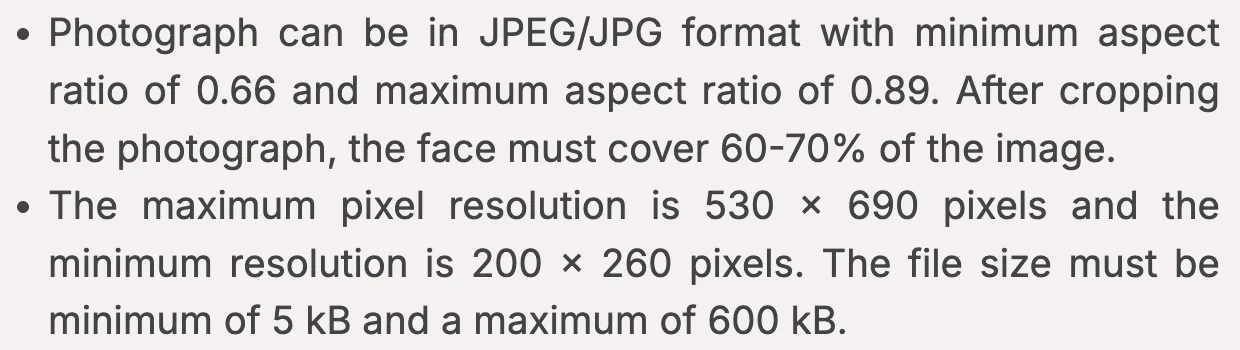
IIT Madras, GATE 2027 photograph instructions, captured on 1 November 2026. The page does not display a separate issue date. Read the complete official image rules.
Resizing will not fix a poor photograph
The photo needs a plain white background and a clear, front-facing view. The forehead, eyes, nose and chin must be visible. Remove glare on spectacles; if it cannot be avoided, the instructions require removing the spectacles for the photograph. Sunglasses, shadows across the face, distracting objects and a blurred image are problems even when the file size is correct.
Religious head coverings are permitted if the facial features from chin to forehead and both sides of the face remain clear. Do not stretch the image to force it into the required shape. If the original is blurred or badly lit, take a clearer photograph instead of repeatedly compressing it. The uploaded photo is used on the admit card and scorecard.
Keep the signature readable and your own
Use your own signature in black or dark blue ink. Crop away excess empty space while keeping the full signature visible and horizontal. The official examples reject digital signatures, signatures in all capitals or initials, dark backgrounds and signatures that are too small or extend outside the box.
Before replacing either file, open it at normal viewing size and compare it with the defect message. Upload through the existing GOAPS application, check the preview and retain the available confirmation. A successful upload is not proof that scrutiny has cleared: check the application status again. The official instructions warn that a signature mismatch at the examination can lead to disqualification.